
Keep PDFSTOOLZ Free
If we saved you time today and found PDFSTOOLZ useful, please consider a small support.
It keeps the servers running fast for everyone.

🔒 100% Secure & Private.
Are you looking for the best way to handle anonymize pdf? This guide provides tested solutions and expert tips.
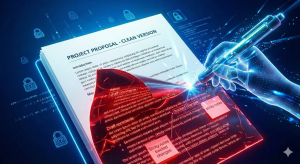
Anonymize PDF: Your Definitive Project Management Playbook for Data Security
As a Project Manager, you deal with a constant flow of information. Status reports, client contracts, financial data – it all crosses your desk. Much of this crucial data resides within PDF documents. PDFs offer fantastic reliability and universal compatibility. However, they also present a significant challenge: securing sensitive information. You need to ensure data privacy. This means you must often anonymize PDF files before sharing them, internally or externally. It’s not merely a best practice; often, it is a strict legal requirement. Ignoring this critical step can lead to severe consequences for your project and your organization.
Imagine your team members sending status reports. These might contain proprietary client details, unfinalized budget figures, or personal employee data. If these reports are in an uneditable PDF format, extracting or scrubbing that sensitive information becomes a complex task. You cannot simply trust that the data will remain unseen. Therefore, mastering the art and science of how to anonymize PDF documents is no longer optional. It is absolutely essential for every Project Manager. This guide will equip you with the knowledge and tools to implement robust anonymization strategies for your projects, protecting your data and your reputation.


The Unseen Risks: Why You Must Anonymize PDF Documents
Data breaches are a nightmare for any organization. They damage trust, incur massive fines, and can halt project progress entirely. Every Project Manager understands the importance of risk mitigation. However, many overlook the inherent risks lurking within seemingly harmless PDF documents. PDFs often contain more than just the visible text. They store metadata, hidden layers, and even embedded comments. This hidden information can easily compromise privacy standards. You must take proactive steps to protect it.
Consider the regulatory landscape. Laws like GDPR, CCPA, and HIPAA impose stringent requirements on how personal and sensitive data is handled. Non-compliance is not an option. Fines can reach millions, not to mention the irreparable damage to brand image. Therefore, your projects require diligent data management. Ensuring you can effectively anonymize PDF files directly contributes to your organization’s legal compliance. It also safeguards your clients’ and stakeholders’ trust. This isn’t just about avoiding penalties. It is about building a secure foundation for every project you manage. You simply cannot afford to ignore this imperative.
Beyond Compliance: The Strategic Advantage of Data Anonymization
While regulatory compliance drives much of the conversation, anonymizing PDFs offers strategic advantages as well. Protecting intellectual property is paramount. Your project documents frequently contain proprietary methodologies, trade secrets, or innovative designs. Sharing these without proper anonymization puts your competitive edge at risk. Moreover, secure data handling fosters deeper trust with clients and partners. They know their information is safe in your hands. This enhances your organization’s reputation.
Project success hinges on secure information flow. When you effectively anonymize your project documents, you empower your team. They can share necessary data without fear of accidental disclosure. This streamlines communication and decision-making. My personal opinion is that true data security starts with foresight. It begins with anticipating potential vulnerabilities. Subsequently, you implement robust solutions like PDF anonymization. This proactive approach saves countless headaches down the line. It transforms potential liabilities into assets, ensuring project integrity at every stage.
Deconstructing the PDF: What Truly Needs Anonymization?
Many people assume “anonymization” simply means deleting or blacking out text. This is a dangerous misconception. PDFs are complex digital containers. They hold various layers of information, some of which are not immediately visible. Understanding these layers is crucial for effective data protection. You cannot adequately anonymize a document until you know all the places sensitive data might reside. Therefore, a comprehensive approach is always necessary. Failing to address all these components means leaving backdoors open for data exposure.
Common Hiding Spots for Sensitive Data in PDFs
- Visible Text and Images: This is the most obvious. Names, addresses, account numbers, or faces in images require redaction. This is the first step everyone considers.
- Metadata: Often overlooked, metadata contains valuable information. This includes the author, creation date, modification history, and even the software used to create the document. This data can easily identify individuals or systems.
- Comments and Annotations: Team members often add comments, highlights, or sticky notes during review cycles. These might contain sensitive discussions or data.
- Hidden Layers and Content: Some PDF creation processes leave text or objects on layers that are not immediately visible. Forensic tools can easily uncover these.
- Form Fields: If your PDF includes interactive forms, the submitted data remains embedded. Even if cleared visually, it might still be retrievable.
- Embedded Files and Attachments: PDFs can act as containers for other files. These attachments could harbor unanonymized data.
- Bookmarks and Navigation Trees: These can sometimes reveal the structure or content of sensitive sections.
Each of these elements represents a potential leak point. Project Managers must develop a systematic process. This process ensures all these areas are thoroughly scrutinized and anonymized. Only then can you genuinely claim your PDF is secure. My personal experience confirms that metadata is almost always the forgotten element. Moreover, it is surprisingly easy to overlook when rushing. You must therefore prioritize a holistic review. Remember, bad actors actively look for these oversights. Your diligence protects your project from these potential threats.
Methods to Anonymize PDF Documents Effectively
Implementing effective anonymization requires a clear strategy. There are several techniques available. The right approach often depends on the type of data, the complexity of the PDF, and the tools at your disposal. You simply cannot pick a single method and apply it blindly. Furthermore, you must always verify the outcome of any anonymization process. Therefore, a multi-faceted approach is frequently the most secure. This ensures comprehensive data protection.
Redaction: The Primary Tool to Anonymize PDF Content
Redaction is the most common and effective method for obscuring visible sensitive data. It involves permanently removing text, images, or graphics from a document. Crucially, true redaction doesn’t just put a black box over the content. It physically removes the underlying information. This prevents any attempt to simply copy and paste or reveal the hidden text. Project Managers must understand this distinction. Using a simple drawing tool to place a black rectangle is not redaction. It is merely concealment, easily reversed. Therefore, always choose a dedicated redaction tool.
Moreover, redaction can be performed manually or automatically. Manual redaction offers precision. You select each piece of sensitive data. However, it is time-consuming for large documents. Automated redaction uses search patterns to find and redact specific phrases, names, or numbers. This speeds up the process significantly. Nevertheless, it requires careful configuration and review. An oversight in automated redaction can lead to missed sensitive data. It can also lead to unintended redactions. Both scenarios are undesirable for project integrity.
Metadata Scrubbing and Document Sanitization
As discussed, metadata often holds identifying information. This includes author names, organization details, and creation software. You must systematically remove or alter this data. Many PDF tools offer a “sanitize” or “inspect document” function. This feature helps identify and remove unwanted metadata, hidden layers, and embedded objects. Running this process is non-negotiable. It adds an essential layer of security. This step is often the difference between a secure document and a compromised one. Therefore, always incorporate metadata scrubbing into your anonymization workflow.
Flattening PDFs for Ultimate Security
After redaction and metadata removal, consider flattening the PDF. Flattening converts all interactive elements, layers, and annotations into a static image. It effectively “bakes in” all the visible changes. This prevents any further modification. It also eliminates the possibility of hidden layers or recoverable text remaining underneath redacted areas. Therefore, flattening provides an additional layer of assurance. However, be aware that a flattened PDF cannot be easily edited afterward. You lose the ability to add new comments or modify form fields. Always retain an unflattened, editable version for future internal use. My advice is to only flatten the final, shareable, anonymized version. This strategy maintains flexibility for your project team.
Converting and Recreating Documents
Sometimes, the most secure way to anonymize a PDF is to convert it into a different format. For example, you might convert a `pdf to word` document. Then you can perform redactions within the Word document. After that, you convert it back to a PDF. This method can be particularly useful for documents with complex layouts or extensive hidden data. It allows for a fresh start. However, this process requires careful verification. Layouts can shift during conversion, potentially exposing data or altering the document’s integrity. Alternatively, if dealing with scanned documents, you might first need to use `ocr` (Optical Character Recognition). This converts image-based text into selectable, editable text. Only then can you perform effective redaction or other anonymization techniques. Therefore, recognize when a format change is beneficial. Always prioritize meticulous review post-conversion.
Pros and Cons of Anonymization
Implementing a comprehensive anonymization strategy brings both significant benefits and some challenges. Project Managers must weigh these factors carefully. A clear understanding of the trade-offs ensures you make informed decisions. This leads to more efficient and secure project outcomes. Moreover, it allows for realistic planning and resource allocation. Therefore, consider both sides before committing to a specific approach.
Pros of PDF Anonymization
- Enhanced Data Security: This is the most direct benefit. Anonymization drastically reduces the risk of sensitive data exposure. It protects proprietary information and personal data.
- Regulatory Compliance: Meeting legal obligations like GDPR, CCPA, and HIPAA becomes much easier. You avoid hefty fines and legal battles.
- Increased Trust and Reputation: Demonstrating a commitment to data privacy builds confidence with clients, partners, and stakeholders. It enhances your organization’s standing.
- Reduced Legal Liability: Proactive anonymization minimizes your organization’s legal exposure in the event of a data breach. You show due diligence.
- Facilitated Data Sharing: Securely sharing necessary data with external parties or less privileged internal teams becomes possible. This streamlines collaboration.
- Intellectual Property Protection: Your unique methodologies and innovations remain confidential. Anonymization safeguards your competitive advantage effectively.
Cons of PDF Anonymization
- Time and Effort Investment: Anonymization, especially manual redaction, can be time-consuming. It requires meticulous attention to detail. This impacts project timelines.
- Potential for Errors: Mistakes can happen. Data might be accidentally exposed, or essential information might be inadvertently removed. This necessitates rigorous review processes.
- Cost of Tools and Training: Advanced anonymization software can be expensive. Furthermore, training team members on correct procedures adds to project costs.
- Workflow Complexity: Integrating anonymization into existing project workflows can add extra steps. This might initially slow down document processing.
- Irreversibility: Properly anonymized (e.g., redacted and flattened) data is permanently removed. This means you cannot retrieve the original data from the anonymized file. Always keep original versions.
- Loss of Document Editability: Flattening a PDF, a common anonymization step, removes interactive elements. This prevents further `edit pdf` capabilities.
A Project Manager’s Playbook: How to Anonymize PDF for Your Team
As a Project Manager, you are responsible for establishing processes. You must ensure your team consistently handles sensitive data correctly. Creating a robust workflow for PDF anonymization is paramount. This minimizes risks and fosters a culture of data security. It cannot be an afterthought. This playbook provides actionable advice. It helps you integrate anonymization seamlessly into your project lifecycle. Your goal is to make it a routine, not an exception.
Step-by-Step Process to Anonymize PDF Documents Within Your Project
- Identify Sensitive Data: Before anything else, understand what data is sensitive. This requires collaboration with legal and compliance teams. Create a clear list of data types that require anonymization (e.g., PII, financial figures, proprietary algorithms).
- Choose the Right Tools: Select reliable software. This could be a desktop application or an enterprise solution. Ensure it supports true redaction, metadata scrubbing, and flattening. Avoid free online tools for highly sensitive data unless explicitly approved by your organization’s security policies.
- Train Your Team: Conduct mandatory training sessions. Show your team members exactly how to identify sensitive data. Furthermore, demonstrate the correct methods to anonymize PDF files using your chosen tools. Emphasize the risks of improper anonymization.
- Establish Clear Protocols: Document the step-by-step anonymization process. Define who is responsible for each stage. Specify approval processes before any anonymized document is shared externally. This creates accountability.
- Pre-Anonymization Review: Before any anonymization, a designated team member should review the document. They must identify all areas requiring redaction or sanitization. This pre-check minimizes errors.
- Execute Anonymization: Apply redaction, scrub metadata, and remove hidden content. Ensure all identified sensitive data is permanently removed.
- Post-Anonymization Verification: This is critical. After anonymization, another team member (preferably independent of the first) must review the document. They should attempt to uncover any remaining sensitive data using various methods. Then, flatten the PDF to finalize the process.
- Document Control: Maintain a clear version control system. Label anonymized documents distinctly (e.g., “Report_Q3_Anonymized.pdf”). Always retain the original, unanonymized version securely for internal records.
- Secure Distribution: When sharing the anonymized PDF, use secure channels. Encrypted email or secure file-sharing platforms are ideal. Never send sensitive documents via unencrypted methods.
By following these steps, you establish a consistent and reliable process. This protects your project data and your organization. My firm belief is that a well-defined process reduces human error significantly. Moreover, it empowers your team. They can then contribute to the project’s success with confidence. This holistic approach moves beyond mere compliance. It builds a culture of security awareness. Remember, every Project Manager plays a vital role in data stewardship.
Real-World Application: Anonymizing Client Reports in a Consulting Project
Let’s consider a practical scenario. Imagine managing a consulting project for a large financial institution. Your team is preparing quarterly performance reports for various internal stakeholders and a select group of external auditors. These reports contain sensitive client portfolio details, individual investment performance, and proprietary trading strategies. The external auditors, however, only require aggregated, anonymized data. They must not see client-specific identifying information or trade secrets. The internal team frequently uses existing templates. These templates often include placeholders with actual client names or account numbers. They also use uneditable scanned PDFs sent from clients. This creates a significant challenge for you, the Project Manager.
Your pain point is clear: team members are sending status reports in uneditable formats. They are struggling to redact them correctly. Moreover, they are concerned about accidental data leaks. My solution to this situation would be structured and strict. First, I would insist on a mandatory workshop. The team would learn how to correctly `pdf to word` or apply `ocr` to any scanned documents first. Only then can sensitive text be identified effectively. Next, I would implement the following process to confidently anonymize PDF reports before distribution.
The Anonymization Workflow in Action
- Policy Establishment: I would work with legal to define precisely what constitutes “sensitive data” in this context. Client names, account numbers, specific trade identifiers, and certain proprietary strategy details are on the blacklist.
- Tool Selection: We would standardize on an enterprise-level PDF solution with robust redaction features. This tool allows for both text search and pattern-based redaction (e.g., identifying 16-digit credit card numbers, even if not explicitly defined).
- Initial Data Review: Before any document conversion, a senior analyst performs an initial content review. They identify all sections requiring anonymization. They flag documents that might need specific attention.
- Conversion and Pre-Redaction: For any reports created from scratch or those needing major edits, we instruct the team to create them in editable formats first. For existing uneditable PDFs, team members must use `pdf to word` conversion. This allows them to make content editable. For scanned images of reports, `ocr` is deployed to convert image text into selectable text. This is a crucial step. It ensures we don’t miss any embedded sensitive data.
- Automated & Manual Redaction: We configure the PDF tool to automatically search for common sensitive terms and patterns. This redacts them first. Then, a dedicated team member manually reviews each page. They catch any missed items or context-specific sensitive information. This dual approach minimizes errors.
- Metadata Scrubbing: Immediately after redaction, the chosen tool’s “sanitize document” feature cleans all metadata. This removes author information, creation dates, and any comments that might contain residual sensitive details.
- Flattening: The document is then flattened. This action converts all content, including the redaction marks, into a single, uneditable image. This prevents anyone from peeling back the redaction layers. It ensures the anonymized version is static and secure.
- Verification and Sign-off: A different senior analyst reviews the flattened, anonymized PDF. They attempt to bypass the redaction. They ensure no sensitive data is visible or recoverable. This two-person review is mandatory. Finally, the Project Manager gives the final sign-off.
- Secure Distribution: Only the approved, anonymized and flattened PDFs are shared with external auditors via a secure, encrypted client portal.
This stringent process ensured compliance with financial regulations. It protected client privacy. It also preserved the institution’s proprietary trading strategies. The project avoided potential legal ramifications. It bolstered the client’s confidence in our data handling. This approach transformed a significant risk into a testament to our project’s commitment to security. It provided absolute assurance. For Project Managers, such a robust process is not merely advisable; it is a fundamental requirement. You must own this responsibility. It makes your project resilient.
Advanced Techniques and Considerations for Robust PDF Anonymization
While the basic steps are crucial, truly robust PDF anonymization sometimes requires more advanced strategies. The digital landscape constantly evolves. Therefore, your approach to data security must also adapt. Project Managers should be aware of these deeper considerations. They enhance the overall security posture of your projects. Moreover, they prepare you for increasingly complex data challenges. You must always think ahead.
Automated Redaction with Machine Learning
For projects involving vast quantities of documents, manual redaction is simply impractical. Advanced PDF solutions now integrate machine learning and artificial intelligence. These technologies can identify complex patterns and entities. They go beyond simple text strings. They can recognize names, addresses, ID numbers, and even specific types of clauses within contracts. This significantly speeds up the anonymization process. It also reduces human error for large volumes. However, these systems require careful training and validation. A human expert must still oversee the process. They must verify the accuracy of the automated redactions. This ensures no sensitive data slips through. Moreover, this investment pays dividends in large-scale operations.
Legal Implications of Insufficient Anonymization
The legal ramifications of inadequate anonymization extend far beyond fines. They can include class-action lawsuits, reputational damage, and even criminal charges for individuals in severe cases. Project Managers bear a significant responsibility. You must ensure your teams are not only aware of the technical aspects but also the legal weight of their actions. Consult legal counsel frequently. They can help define the scope of anonymization required for specific data types and jurisdictions. Ignorance is never a defense. Therefore, stay informed about evolving data privacy laws. You must protect your project and your organization from these severe consequences.
For example, GDPR (General Data Protection Regulation) has very strict definitions of personal data and anonymization. The regulation emphasizes that anonymization must be truly irreversible to remove data from its scope. You can find more detailed information on GDPR here. Similarly, the California Consumer Privacy Act (CCPA) also has significant requirements for data handling and anonymization for residents of California. Project Managers overseeing projects involving data subject to these regulations must understand their specific demands. This understanding is critical for compliance.
Long-Term Data Retention Policies for Anonymized Data
Anonymizing data often allows for its long-term retention. This is particularly useful for research, analytics, or historical trending. However, even anonymized data can sometimes be re-identified through sophisticated techniques. This is especially true if multiple anonymized datasets are linked together. You must therefore establish clear retention policies. Define how long anonymized data can be stored. Specify how it should be protected. Regularly review these policies. Ensure they align with evolving privacy standards and project needs. Moreover, consider techniques like k-anonymity or l-diversity when releasing datasets. These methods provide statistical guarantees against re-identification. They offer robust safeguards. Learn more about the principles of anonymization on Wikipedia.
The Importance of Verification
I cannot stress this enough: verification is the most critical step. After every anonymization process, you must meticulously check the output. Assume nothing. Try to “break” your anonymization. Attempt to copy text from redacted areas. Check metadata for remnants. Look for hidden layers. Use different PDF readers. A second pair of eyes, independent of the person who performed the anonymization, is invaluable here. This rigorous verification minimizes the risk of accidental disclosure. It builds confidence in your final documents. My experience shows that oversights often happen during hurried verification. You must allocate sufficient time for this crucial stage. It is your final line of defense.
When to Merge or Split PDFs for Anonymization Tasks
Sometimes, your anonymization efforts benefit from document restructuring. For instance, you might have a large report where only specific sections contain sensitive data needing redaction. It can be more efficient to `split pdf` documents first. You isolate the sensitive pages. Then you anonymize only those sections. Afterwards, you can `merge pdf` or `combine pdf` the anonymized pages back with the non-sensitive parts of the original document. This approach streamlines the process. It reduces the chance of errors in non-sensitive sections. Alternatively, if you receive multiple smaller documents, each requiring anonymization, you might `merge pdf` them. Then you apply a batch anonymization process. This consistency saves time. It ensures uniform security standards across all related documents. You must therefore consider document structure when planning your anonymization strategy.
Tools and Technology for PDF Anonymization
The market offers a wide array of tools to assist with PDF anonymization. Choosing the right one depends on your project’s specific needs, budget, and security requirements. You simply cannot rely on generic document editors for sensitive work. Therefore, invest in purpose-built solutions. These tools provide the necessary features for secure data handling. They simplify complex tasks, saving time and reducing risk for your project team.
Desktop Software Solutions
Dedicated desktop applications, such as Adobe Acrobat Pro or Foxit PhantomPDF, are industry standards. They offer robust redaction tools, metadata scrubbers, and flattening capabilities. These tools provide comprehensive control over the anonymization process. They operate locally, ensuring your sensitive data doesn’t leave your machine during processing. This is a critical security advantage. However, they typically come with a licensing cost. My strong recommendation for serious Project Managers is to prioritize these professional-grade solutions. They offer reliability and a full suite of features to `edit pdf` documents, including the advanced anonymization functions you require.
Online Services (with Caution)
Numerous free and paid online PDF tools exist. They offer features like redaction or metadata removal. While convenient, they carry significant risks. Uploading sensitive documents to an unknown server can expose your data. You lose control over where your data is stored and processed. Always scrutinize the privacy policy and terms of service for any online tool. For highly sensitive project data, I advise against using generic online services. If your organization has an approved, secure, enterprise-level online PDF solution, that is a different matter. Otherwise, stick to desktop software. Your data’s security is paramount. Never compromise it for convenience. You simply cannot risk a data leak.
Enterprise Solutions and APIs
For large organizations managing vast quantities of documents, enterprise-level solutions are indispensable. These often integrate directly into existing document management systems (DMS) or workflows. They provide automated, scalable anonymization capabilities. Furthermore, some platforms offer APIs (Application Programming Interfaces). These allow developers to embed anonymization features directly into custom applications. This is ideal for continuous processing of high volumes of documents. These solutions are generally more expensive. Nevertheless, they offer unparalleled efficiency and security for complex project environments. They allow you to `compress pdf` files efficiently after anonymization, streamlining storage and distribution.
Avoiding Common Pitfalls When You Anonymize PDF Files
Even with the right tools and intentions, mistakes can happen. Project Managers must be vigilant. You need to understand the common pitfalls in PDF anonymization. This foresight helps your team avoid costly errors. It ensures your documents are truly secure before being shared. Never assume simplicity in this process. Every step demands attention to detail. Therefore, learn from common missteps. Your proactive approach shields your project from unnecessary risk.
Pitfall 1: Assuming Deletion is Redaction
Many users mistakenly delete text or images. They then assume the data is gone. This is profoundly incorrect. Often, “deleted” content remains in the PDF’s underlying code. It is easily recoverable with forensic tools. True redaction, as mentioned, permanently removes the data. It does not merely hide it. Educate your team on this critical distinction. They must understand the difference. Otherwise, your efforts to `anonymize pdf` documents are futile. You simply cannot take shortcuts with data permanence.
Pitfall 2: Ignoring Metadata
This is arguably the most common oversight. Metadata often reveals author names, creation dates, and software versions. This information can link an anonymized document back to its source or creator. Always run a metadata inspection tool. Systematically remove or sanitize all identifying information. Your attention to this detail significantly enhances overall security. You must make metadata scrubbing a mandatory step in your workflow. It is frequently overlooked, yet critically important.
Pitfall 3: Not Flattening the PDF
After redacting and scrubbing, if you don’t flatten the PDF, hidden layers or annotations might persist. These could potentially contain original, unredacted content. Forensic analysis can then reveal this information. Flattening permanently bakes all visible content into a single image. It removes these hidden dangers. Therefore, make flattening a final, mandatory step before external distribution. It prevents unintentional data leaks. This step is non-negotiable for maximum security. You simply cannot skip it.
Pitfall 4: Lack of Verification
Anonymization is not a “set it and forget it” process. Without independent verification, you cannot be certain that all sensitive data is gone. Always have a separate individual review the anonymized document. They must actively try to uncover hidden information. This ensures completeness and accuracy. My recommendation is a two-person review policy. This dramatically reduces error rates. It builds confidence in the final output. You absolutely must implement a rigorous verification step.
Pitfall 5: Reliance on Insecure Online Tools
As discussed earlier, using unvetted online PDF tools for sensitive data is a major risk. Your documents are uploaded to external servers. You have no control over their security. You have no guarantee of data deletion. Always use reputable, locally installed software. Or, use enterprise-approved cloud solutions. Prioritize security over convenience, especially for project-critical data. You simply cannot compromise your project’s data privacy. It is too important to leave to chance.
Integrating Anonymization into Your Project Lifecycle
True data security is not a one-off task. It is an integral part of your entire project lifecycle. As a Project Manager, you must embed anonymization practices into every phase. This ensures continuous protection from initiation to closure. It creates a robust security posture for your project. You simply cannot treat anonymization as an afterthought. It must be a foundational element. Therefore, plan for it proactively.
During Project Initiation
From day one, identify potential data sensitivity. Discuss data handling requirements with stakeholders. Collaborate with legal and compliance teams to define anonymization standards. Incorporate anonymization tasks into your project plan and budget. Ensure necessary tools and training are allocated. This upfront planning prevents future crises. It establishes a clear roadmap for secure data management. You must set the tone early.
Throughout Project Execution
Implement the established anonymization workflows consistently. Conduct regular internal audits of documents to ensure compliance. Provide ongoing training and refresher courses for your team. Address any questions or ambiguities promptly. Emphasize that every team member shares responsibility for data security. Regularly review processes for efficiency and effectiveness. This continuous vigilance is essential. You simply cannot let standards slip. It protects your project’s integrity.
At Project Closure
Review all project documentation for sensitive data. Ensure all archived materials requiring anonymization are properly processed before long-term storage. Document all anonymization procedures followed. Note any lessons learned for future projects. This final review solidifies your project’s data security legacy. It prepares you for future engagements. Furthermore, you might need to `compress pdf` or `reduce pdf size` for archived anonymized documents. This optimizes storage without compromising security. You must ensure a clean hand-off of all data.
Beyond Anonymization: Related PDF Management Skills for Project Managers
While anonymization is critical, it’s just one facet of effective PDF management. Project Managers frequently encounter other PDF-related challenges. Mastering these skills enhances your overall project efficiency and control. You often need to manipulate PDFs in various ways. These capabilities streamline your workflow significantly. Therefore, expand your PDF toolkit beyond anonymization. It makes you a more versatile manager. You simply must equip yourself for diverse document needs.
- Merge PDF / Combine PDF: You often need to consolidate multiple reports or documents into a single PDF. This simplifies sharing and review. For instance, combining individual team status reports into a single weekly project summary.
- Split PDF / Delete PDF Pages / Remove PDF Pages: Conversely, you might need to extract specific sections from a large document. Or, you might remove irrelevant pages. This is particularly useful for focusing attention on key information or preparing parts for anonymization.
- Convert to DOCX / PDF to Word: When you receive uneditable PDF documents and need to extract text or make significant content changes, converting them to Word is essential. This allows for easy editing before converting back to PDF. This directly addresses the pain point of uneditable formats.
- PDF to Excel / Excel to PDF: Managing project finances or data tables often requires converting between PDF and Excel. This facilitates data analysis or presenting tabular data in a fixed, report-friendly format.
- PDF to JPG / JPG to PDF / PDF to PNG / PNG to PDF: Graphics and image files frequently need conversion for web display, presentations, or embedding within documents. This ensures compatibility and proper rendering.
- PDF Add Watermark: To indicate confidentiality, draft status, or ownership, adding a watermark can be crucial. This provides visual cues for document handling.
- Sign PDF: Digital signatures are vital for securing contracts, approvals, and official project documents. They ensure authenticity and non-repudiation.
- OCR (Optical Character Recognition): As highlighted earlier, for scanned documents, OCR is indispensable. It transforms image-based text into searchable and editable content. This unlocks data from uneditable formats.
- Edit PDF: Beyond anonymization, general PDF editing capabilities are often needed. This includes minor text changes, adding images, or rearranging content.
- Organize PDF: This refers to the broader set of tools for managing PDF pages. It involves reordering, rotating, and inserting new pages. This ensures logical flow for your documents.
Mastering these additional skills empowers you as a Project Manager. You gain greater control over your documentation. You enhance your team’s productivity. You simply cannot afford to be limited by unmanageable PDF files. These tools provide solutions for almost every document challenge. Therefore, invest time in understanding and utilizing these capabilities. They directly contribute to successful project delivery. You become a true document workflow maestro.
Conclusion: Take Control of Your Project’s Data Security
The imperative to anonymize PDF documents is clear. It is a fundamental responsibility for every Project Manager. In an era of increasing data privacy regulations and heightened cyber threats, neglecting this duty poses immense risks. You must protect your project’s sensitive information. You must safeguard your organization’s reputation. You must ensure legal compliance. This is not merely a technical task; it is a critical strategic component of successful project delivery. My ultimate conclusion is that proactive data security is non-negotiable. It is the bedrock of trust and reliability for your projects.
You now possess the knowledge. You understand the “what,” “why,” and “how” of PDF anonymization. You have a playbook for your team. You recognize the common pitfalls to avoid. Furthermore, you are aware of the advanced techniques and related PDF management skills that elevate your capabilities. It’s time to put this knowledge into practice. Implement robust anonymization processes within your projects. Train your teams diligently. Conduct thorough verification. Empower your project with the highest standards of data security. You simply cannot afford to wait. Take control of your project’s data today. Your diligence will yield significant dividends. It ensures project success and fortifies your organization’s future.