
Keep PDFSTOOLZ Free
If we saved you time today and found PDFSTOOLZ useful, please consider a small support.
It keeps the servers running fast for everyone.

🔒 100% Secure & Private.
Have you ever hit “send” on an email containing a sensitive document and felt a twinge of anxiety? We have all been there. You attach a financial statement, a contract, or personal records, and to secure it, you apply a password. You assume this digital padlock makes your file as secure as a bank vault. But is that really true?
The uncomfortable reality in cybersecurity is that “secured” doesn’t always mean “unbreakable.” There is a significant misconception among general users regarding the actual strength of standard document security. Many believe that simply adding any password makes a file impenetrable to unauthorized eyes.
This post digs deep into the actual mechanics of PDF password protection. We will separate the comfortable myths from the cold facts to determine if your most sensitive files can, in reality, be hacked. We need to understand the technology to trust it properly.
<h3>Understanding the Basics of PDF Password Protection</h3>
Before we discuss hacking, we must understand what we are actually protecting. Not all PDF passwords perform the same function. When you decide to secure a PDF, you are typically offered two distinct types of protection.
The first is the “Document Open Password.” This is what most people think of as security. It is the digital bouncer at the door; users must enter the correct code just to view the contents of the file. Without it, the data remains scrambled and unreadable.
The second type is the “Permissions Password” (sometimes called an owner password). This doesn’t stop someone from opening the file. Instead, it restricts what they can do inside it. It prevents actions like printing, copying text, or editing the document. You might use this if you want someone to read a contract but not alter it.
Crucially, these two types rely on very different security mechanisms. Permissions passwords are notoriously easy to bypass because the file contents aren’t actually encrypted against viewing. Many software tools can strip these restrictions instantly. The real security battleground lies with the Document Open Password and the encryption that powers it.
<h2>The Reality Check: Can PDF Password Protection Be Hacked?</h2>
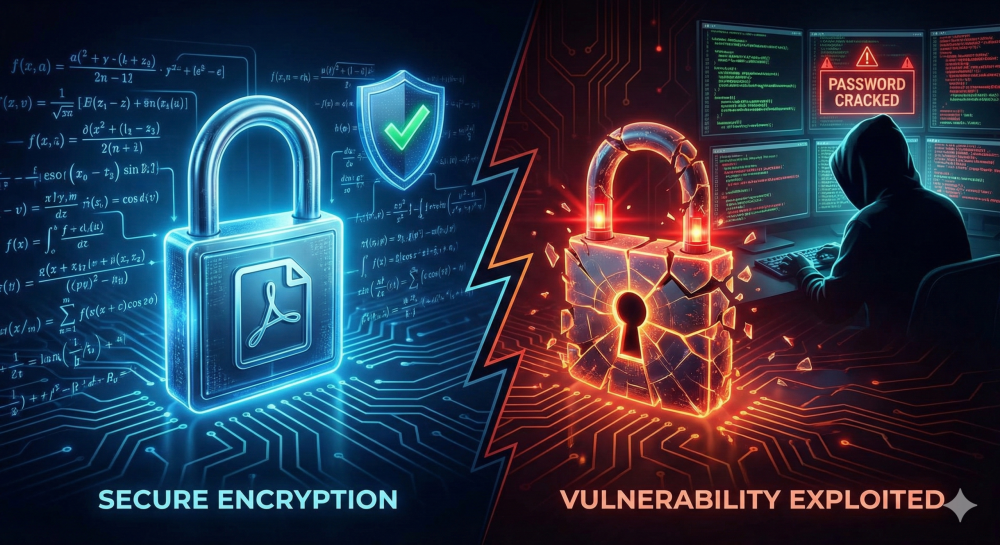
The short answer to the title question is yes, it can be hacked. However, the long answer is far more nuanced: “It depends entirely on how you implemented that protection.”
The security of PDF password protection does not lie in the PDF format itself, but rather in the mathematical encryption algorithms used to lock the data. Think of encryption as the complexity of the lock on a safe.
Historically, PDFs used weak encryption standards, such as 40-bit RC4. Today, a standard home computer can crack a 40-bit encryption almost instantly. If you are using very old software to create your PDFs, you might be applying locks that are effectively made of paper.
Modern PDF software, however, utilizes Advanced Encryption Standard (AES). This is the same standard used by governments and financial institutions. According to entities like Adobe, 128-bit or 256-bit AES encryption is incredibly robust.
If a document is locked with 256-bit AES encryption, the mathematics are sound. There is no known “backdoor” or magic trick to bypass the math instantly. Therefore, hackers don’t usually attack the encryption algorithm itself; they attack the user’s choices.
The Brute-Force Threat
Since the encryption math is solid, how do hackers get in? They use “brute-force attacks.”
A brute-force attack is the digital equivalent of trying every key on a massive keyring until one works. Automated software runs through billions of combinations of characters, numbers, and symbols per second, trying to guess the password.
This is where the “truth” about security becomes clear. The strength of the protection is 100% dependent on the complexity of the password you chose.
If your password is “password123,” “admin,” or your company name, a brute-force tool will crack it in seconds, regardless of whether you used 256-bit AES encryption. The lock was strong, but you left the key under the doormat.
Conversely, if your password is twenty characters long, randomized, and includes symbols and mixed casing, current computing power would take decades or longer to guess it. In this scenario, the PDF is, for all practical purposes, unhackable.
<h3>The Crucial Role of Password Strength in PDF Password Protection Security</h3>
It cannot be overstated: human behavior is the weakest link in PDF password protection security. We naturally gravitate toward passwords that are easy to remember, which unfortunately makes them easy to guess.
Modern cracking hardware uses massive databases of common passwords, dictionary words, and variations (like swapping ‘e’ for ‘3’). If your password exists anywhere in a dictionary or a previous data dump, it is vulnerable.
Furthermore, the tools available for cracking are getting faster. Advancements in Graphics Processing Unit (GPU) technology allow attackers to try exponentially more password combinations per second than they could a decade ago. What was considered a “safe” eight-character password ten years ago is now vulnerable.
A Personal Opinion on Digital Negligence
In my professional opinion, relying solely on built-in PDF encryption without carefully considering password complexity is a form of digital negligence. It provides a dangerous placebo effect.
It feels secure because you went through the motions of adding a password. However, if that password is weak, you haven’t actually secured the data; you have merely inconvenienced legitimate users while doing nothing to stop a determined attacker.
I often see businesses put more effort into organizing their files than securing them. They might use tools to merge PDF files for convenience, but then slap a four-digit PIN on the final document containing hundreds of pages of sensitive data. This is a massive oversight in risk management.
<h2>A Real-World Example of Failed Security</h2>
Let’s look at a hypothetical, yet entirely realistic, scenario based on common business failures.
Imagine a mid-sized accounting firm, “Apex Financial.” It is tax season, and an eager junior associate needs to send a client their completed tax returns, containing social security numbers and income data.
The associate knows the file needs protection. They use their PDF software to apply 128-bit AES encryption—a decent standard. However, wanting to make it easy for the client to open, they set the password as the client’s last name: “Smithson2023”.
They email the PDF to the client. Unfortunately, the client’s email account was compromised months ago due to a separate phishing attack. A hacker is monitoring the client’s inbox.
The hacker intercepts the PDF. They see it’s password-protected. They load the file into a readily available cracking tool. Because the password “Smithson2023” is a simple combination of a proper name and a year, it falls into a very basic “dictionary attack” pattern.
The cracking software guesses the password in under 15 seconds. The strong AES encryption didn’t fail; the human choice failed. The sensitive data is now in the hands of a malicious actor, all because of a weak password choice.
<h2>Pros and Cons of Relying on PDF Password Protection</h2>
To better understand where this security measure fits into your workflow, let’s look at the advantages and disadvantages.
Pros:
- Ubiquity: PDF is a universal standard. Almost everyone can open them, and most PDF creators have built-in password features.
- Strong Encryption Potential: When using modern AES-256 standards, the underlying mathematical security is excellent against current computing power.
- Access Control: It provides a basic barrier against casual snooping if a laptop is left open or a file is shared accidentally.
- Zero Cost: Basic password protection is usually included for free in standard PDF readers and editors.
Cons:
- Human Error Vulnerability: Security is entirely dependent on the user creating a long, complex password.
- The Transmission Problem: You still have to get the password to the recipient securely. Emailing the password in the same thread as the locked document defeats the purpose.
- Permissions Are Weak: Relying on “permissions passwords” to stop editing or printing is ineffective against knowledgeable users.
- No Audit Trail: Once someone has the password, you have no way of knowing who opened it, when, or if they shared it with others.
- False Sense of Security: It can lead users to believe data is safe when weak passwords render the protection useless.
<h2>Best Practices for Maximum Security</h2>
If you are going to rely on PDF password protection, you must do it correctly. Otherwise, don’t bother.
First, ensure your software is up to date. You want to be certain you are applying at least 128-bit AES encryption, preferably 256-bit. If you are using decade-old software, update it immediately.
Second, password length and complexity are non-negotiable. A strong password should be at least 12 to 16 characters long. It must include a seemingly random mix of uppercase letters, lowercase letters, numbers, and special symbols. Never use real words.
Third, never send the password via the same channel you sent the document. If you email the encrypted PDF, text the password to the recipient’s phone, or give it to them over a verbal phone call. This technique is known as “out-of-band” authentication.
Finally, before securing a document, ensure it only contains what is necessary. Sometimes we over-share. You might want to edit the PDF to redact highly sensitive information that the recipient doesn’t absolutely need, or compress the PDF for easier handling before locking it down.
<h2>Alternatives When Basic Password Protection Isn’t Enough</h2>
For highly sensitive corporate data, standard PDF password protection is often insufficient due to the “Pros and Cons” listed above—specifically the lack of audit trails and the difficulty of secure password transmission.
In these cases, businesses should look toward Digital Rights Management (DRM) solutions or Virtual Data Rooms (VDRs).
These platforms don’t just lock the file; they control the environment in which the file is viewed. They can authenticate the specific user’s identity (not just verify that they possess a password).
Furthermore, these systems provide detailed logs. You can see exactly who opened the document, how long they looked at it, and even revoke access remotely after the file has been downloaded. This level of control is vital for M&A due diligence, legal discovery, or handling highly classified intellectual property.
For general cybersecurity awareness, resources like the Cybersecurity and Infrastructure Security Agency (CISA) offer excellent guidelines on protecting data beyond just individual file passwords.
Also, understand the difference between password protection and digital signatures. A digital signature relies on cryptography to verify that a document hasn’t been altered since it was signed, but it doesn’t necessarily hide the contents.
Conclusion
So, what is the truth about PDF password protection? Can it be hacked? The truth is that the encryption is rarely hacked, but the passwords often are.
Standard PDF protection is a useful tool for low-to-medium sensitivity documents, provided you use modern software and extremely strong, complex passwords. However, it is not a silver bullet. It is vulnerable to human error and brute-force attacks targeting weak credentials.
If you use “password123,” your document is as good as open. If you use a 20-character randomized string, it’s highly secure. For truly critical data, stop relying on simple passwords and move towards managed security platforms that offer identity verification and audit trails. Don’t let a false sense of security be your downfall.