
Keep PDFSTOOLZ Free
If we saved you time today and found PDFSTOOLZ useful, please consider a small support.
It keeps the servers running fast for everyone.

🔒 100% Secure & Private.
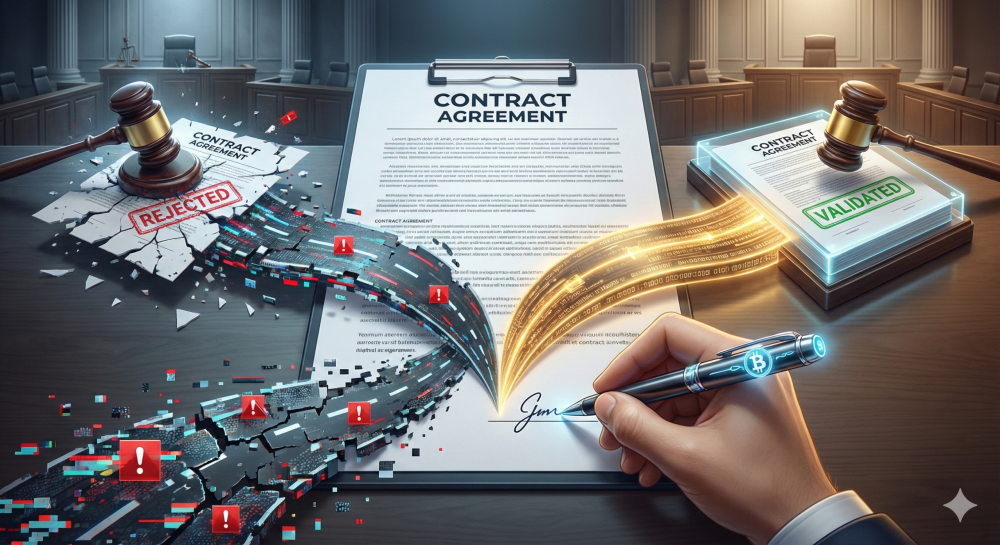
You have finally closed the deal. After months of negotiation, endless email chains, and version control nightmares, the contract is ready. You open your laptop, drag a JPEG of your scribbled signature onto the PDF, and hit send. You feel relieved. But three months later, you find yourself standing in front of a judge. The opposing counsel is arguing that your “signature” is nothing more than a glorified sticker. They claim it proves nothing. Suddenly, your airtight deal feels like it’s made of Swiss cheese.
This is a nightmare scenario for business owners, freelancers, and legal teams everywhere. We live in a world where speed is king. Consequently, the “wet ink” signature is dying a slow death. However, in our rush to go paperless, many of us have confused convenience with compliance.
There is a massive, legally critical canyon between an “electronic signature” and a “digital signature.” To the average person, they look identical on a screen. But to a forensic document examiner or a judge? One is a handshake; the other is a DNA test.
In this deep dive, we are going to strip away the jargon. We will explore exactly what differentiates these two technologies. Moreover, we will look at real-world examples of when things go wrong. Most importantly, we will answer the burning question: If you end up in court, which signature will actually save your assets?
The Basics: What Are We Even Signing?
Before we get into the courtroom drama, we need to define our terms. The terms are often used interchangeably, which is dangerous. They are not the same thing.
What is an Electronic Signature (e-signature)?
An electronic signature is a broad legal category. It captures the intent to sign. According to the US ESIGN Act and similar global laws, it acts as a symbol or process attached to a contract.
Think of it as the digital equivalent of you saying, “Yes, I agree to this.”
Examples include:
- Typing your name at the bottom of an email.
- Checking a box that says “I Agree” (click-wrap agreements).
- Pasting an image of your handwritten signature into a Word to PDF document.
- Using a stylus to scribble on a delivery driver’s tablet.
The Key Trait: It focuses on intent. It shows you wanted to sign. However, it often lacks the security to prove who actually signed it or if the document changed afterward.
What is a Digital Signature?
A digital signature is a specific, highly secure type of electronic signature. It relies on a technology called Public Key Infrastructure (PKI).
When you use a digital signature, a complex mathematical operation takes place in the background. It creates a “hash”—a unique digital fingerprint—of the document.
Here is what happens under the hood:
- Identity Verification: You must prove who you are (often via a Certificate Authority) before you can sign.
- Encryption: The signature is encrypted using a private key that only you possess.
- Tamper Evidence: If anyone changes a single comma in the document after you sign it, the link breaks. The signature becomes invalid immediately.
The Key Trait: It focuses on authenticity and integrity. It proves you are you, and it proves the document is untouched.
The Courtroom Reality: Why “Intent” Isn’t Always Enough
Let’s imagine you are in a dispute over a $50,000 freelance contract. You used a basic electronic signature. You simply typed your name on the PDF. The client claims they never signed it. They say, “Anyone could have typed my name there.”
Now, the burden of proof shifts to you.
The Problem with Basic E-Signatures
If you are relying on a simple image paste or a typed name, you have a weak audit trail. You might have to dig up email metadata. You might need to call IT experts to prove the IP address of the sender.
It is messy. It is expensive. Furthermore, it is not guaranteed to work.
If you are managing sensitive documents, you should always organize PDF files securely. Losing the metadata associated with a simple e-signature can be fatal to your case.
Why Digital Signatures Shine in Litigation
Now, imagine the same scenario, but you used a cryptographic Digital Signature.
You submit the document to the court. The judge looks at the digital certificate embedded in the file.
- Identity: The certificate confirms the signer’s identity was verified by a trusted third party (like Adobe or a government ID provider).
- Integrity: The software shows a green checkmark. This proves the document has not been altered by even one byte since signing.
The opposing counsel cannot argue “someone else typed it” or “the pages were swapped.” The math makes those arguments impossible.
Real-World Example: The Case of the Forged e-Signature
Let’s look at a scenario inspired by real case law (specifically Adams v. Quicksilver and similar precedents).
The Scenario: A company, “TechCorp,” fires an employee, “Sarah.” TechCorp produces an arbitration agreement, claiming Sarah signed it electronically three years ago. This agreement prevents Sarah from suing them in public court.
Sarah says, “I never saw that document in my life.”
The Evidence: TechCorp presents a PDF with Sarah’s typed name on the signature line. They claim she logged into their HR portal to sign it.
However, Sarah’s lawyer digs deeper. They request the audit logs.
- The “signature” had no timestamp linked to Sarah’s unique login credentials.
- There was no digital certificate.
- The document metadata suggested the page was created after Sarah was fired.
The Verdict: Because TechCorp used a basic electronic signature process with a poor audit trail, the court threw it out. The judge ruled that a typed name, without a secure digital audit trail (like a Digital Signature offers), was insufficient to prove Sarah actually signed it.
TechCorp lost the ability to arbitrate. They faced a massive public lawsuit.
This is why understanding the difference matters. If TechCorp had used a proper Digital Signature requiring a unique private key, the timestamp and identity verification would have been undeniable.
Pros and Cons: A Brutally Honest List
To help you decide which route to take for your business, let’s break this down.
Electronic Signatures (The Simple Way)
Pros:
- Speed: Extremely fast. You can sign in seconds.
- User Experience: No need to download special software or buy digital IDs.
- Cost: Often free or very cheap.
- Accessibility: Works on any device, from phones to desktops.
Cons:
- Low Security: Easy to forge. A JPEG of a signature can be copy-pasted.
- Weak Legal Standing: Harder to defend in court without a massive supplemental paper trail (audit logs).
- No Tamper-Proofing: You cannot easily tell if the document changed after signing.
Digital Signatures (The Secure Way)
Pros:
- Ironclad Security: Uses Cryptography to link the signer to the document.
- Tamper-Evident: Any edit to the document invalidates the signature instantly.
- Global Acceptance: Meets the highest standards of the EU’s eIDAS and global ISO Standards.
- Independent Verification: The validity is embedded in the PDF, not just stored on a vendor’s server.
Cons:
- Complexity: Requires a Digital ID (Certificate).
- Cost: Certificates often cost money to issue and maintain.
- Compatibility: Sometimes requires specific readers (like Adobe Acrobat) to verify the green checkmark.
How to Prepare Your Documents for Signing
Whether you choose digital or electronic, the state of your document matters. A messy file is a red flag in a legal setting. You need professional, clean documents.
Here is a workflow that protects you:
- Finalize the Content: Never sign an editable file. Always convert your drafts. If you wrote the contract in Word, use a convert to docx tool to finalize edits, then lock it down by converting word to pdf.
- Clean the Data: Remove unnecessary pages that might confuse the scope of the agreement. You can easily remove pdf pages that are irrelevant drafts.
- Optimize for Storage: Legal files must be kept for years. If you are scanning wet-ink contracts to store digitally, the files can be huge. Use ocr to make them searchable, and then compress pdf to save server space without losing quality.
The Technical Deep Dive: How the “Magic” Works
We mentioned “hashing” earlier. Let’s explain that, because it is the secret sauce of validity.
When you apply a digital signature, the software runs a hashing algorithm (like SHA-256) on the document’s content.
Imagine the document text is “I owe you $100.” The algorithm turns that into a unique string of characters: X7y9.... If you change the text to “I owe you $1000,” the algorithm runs again. Now the string is A1b2....
The digital signature encrypts that hash with your Private Key. When the judge opens the document, their software uses your Public Key to decrypt the hash. It then runs the math on the document again.
- If the calculated hash matches the decrypted hash? Valid.
- If they don’t match? Invalid. The document was altered.
This is why digital signatures are superior for sensitive data. It relies on math, not trust.
When Should You Use Which?
You do not need a military-grade digital signature to sign for a pizza delivery. However, you absolutely need one for selling a house.
Use Basic Electronic Signatures For:
- Internal employee policies (vacation requests).
- NDAs (Non-Disclosure Agreements) for low-risk meetings.
- Purchase orders for office supplies.
- Accepting website Terms of Service.
Use Digital Signatures For:
- Real Estate transactions.
- Intellectual Property transfers.
- Healthcare data (HIPAA compliance).
- Financial auditing documents.
- Any contract where the value exceeds your willingness to lose it.
The Role of PDF Tools in Legal Workflows
In the modern office, the PDF is the standard for legal documents. It is the “container” for both the contract and the signature. Managing these containers effectively is part of your legal hygiene.
For example, you might receive a contract as a scanned image. A computer cannot “read” the text, meaning you cannot search for specific clauses. Before signing, you should run ocr to make the text selectable.
Furthermore, if you are compiling a massive portfolio of evidence to support a contract, you might need to combine signed contracts with email appendices. A merge pdf tool is essential here to create a single, cohesive legal binder.
Conversely, if a client sends you a 50-page PDF but you only need to sign page 48, sending the whole thing back can be cumbersome. You can split pdf to isolate the signature page, sign it, and return just what is needed (though always check with legal counsel on keeping the full context attached!).
Future Trends: Blockchain and Beyond
The world of signatures is evolving. We are moving toward decentralized identity.
Blockchain technology is starting to merge with digital signatures. In this model, the “audit trail” is not stored on a company’s server (which can be hacked or deleted). Instead, the proof of signature is stored on a public or private blockchain.
This makes the record immutable. It cannot be changed by anyone, not even the people who built the system. While this is still emerging, it represents the ultimate level of court validity.
Until then, standard PKI-based Digital Signatures remain the gold standard.
Conclusion: Don’t Let Convenience Cost You
We live in a fast-paced digital world. It is tempting to take shortcuts. It is easy to just “click to sign” and move on with your day.
However, the courtroom is a slow, methodical place. It does not care about your convenience. It cares about proof.
While electronic signatures are legally recognized in many places (thanks to laws like ESIGN and UETA), they are vulnerable. They are the “he said, she said” of the digital world.
Digital signatures, on the other hand, provide the forensic evidence that judges trust. They seal the document with a tamper-proof digital wax seal.
Here is the bottom line: If the document matters—if losing the deal would hurt your business or your life—do not settle for a scribble. Use a cryptographic digital signature. Ensure your document management workflow is tight.
Use tools to convert to docx for safe editing, and always compress pdf files for efficient archiving.
Your future self (and your lawyer) will thank you.