
Keep PDFSTOOLZ Free
If we saved you time today and found PDFSTOOLZ useful, please consider a small support.
It keeps the servers running fast for everyone.

🔒 100% Secure & Private.
It’s 4:55 PM on a Friday. Your accounts payable clerk is tired. Suddenly, an urgent email lands in their inbox. It looks like a standard vendor invoice. The logo is correct. The amount seems reasonable. However, the bank details have changed. “Please update our payment info,” the PDF says. Consequently, the clerk pays it. On Monday, you realize the money is gone.
This scenario is not a movie plot. It is a daily reality for businesses worldwide.
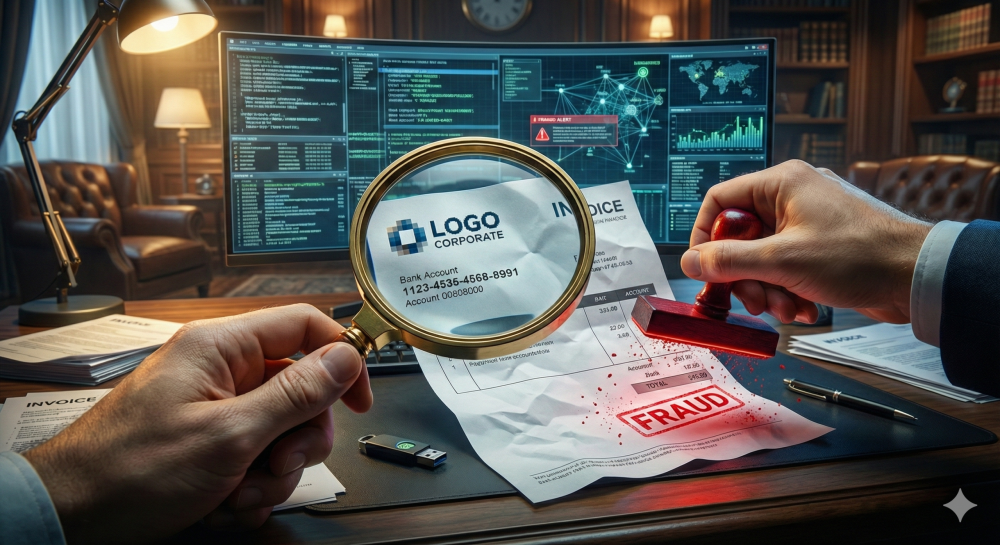
Invoice fraud prevention is no longer just an IT problem. It is a financial survival skill. In this guide, I will walk you through exactly how to dissect a PDF invoice, spot the lies, and verify the truth before you release a single cent.
The Rising Tide of Digital Deception
We live in a paperless era. We love the convenience. However, convenience often breeds complacency. Scammers know that we trust PDF documents implicitly. We view a PDF as a “locked” file.
That is a dangerous misconception.
PDFs are editable, manipulatable, and easy to forge. Therefore, treating every incoming digital bill with a healthy dose of skepticism is essential. If you don’t, you leave your door wide open to Business Email Compromise (BEC).
Why Scammers Love the PDF Format
Why do fraudsters choose PDFs? Simply put, they look professional. Anyone can slap a logo on a Word document and save it as a PDF. Furthermore, they can embed malicious scripts or simply alter text layers to change bank account numbers on legitimate stolen invoices.
To fight this, you need the right tools. Sometimes, you need to convert to docx just to see if the text is editable or if it’s a flat image.
Invoice Fraud Prevention: The Visual Inspection
Your eyes are your first line of defense. Before you even look at the metadata, look at the layout.
Does the logo look pixelated? Legitimate companies use high-resolution vectors. If the logo is blurry, it was likely copy-pasted from a website.
Check the Mathematics
Scammers are often bad at math. I have seen fake invoices where the subtotal and the tax do not add up to the final total.
- Calculate manually: Do not trust the total line.
- Check the tax rate: Is the VAT or sales tax correct for that vendor’s location?
- Look for round numbers: Real business rarely results in clean, round numbers like $5,000.00.
Moreover, look for spelling errors. A legitimate vendor will rarely misspell “invoice” or “received.”
Analyzing the Metadata for Invoice Fraud Prevention
This is where we get technical. Every PDF file contains hidden data called metadata. This data tells you the history of the file.
If a vendor claims to be a Fortune 500 company, but the metadata says the PDF was created by “User1” using generic freeware, you have a problem.
How to Check PDF Metadata
You don’t need to be a hacker to do this. You can use standard tools.
- Open the file in a reader.
- Go to Properties.
- Look at the “Created” and “Modified” dates.
If the invoice date is January 1st, but the PDF creation date is February 2nd, that is a red flag. Additionally, check the “Application” field. If it lists a generic Word to PDF converter instead of professional accounting software, be suspicious.
The “Edit” Test: A Simple Trick
Here is a personal favorite trick of mine. Try to edit the text.
Legitimate invoices generated by accounting software usually have selectable text. If you click on the text and it acts like a single static image, it might be a scan.
However, if it looks digital but acts like an image, someone might have flattened it to hide edits. You can use tools to edit pdf files to probe the layers. If you find multiple text boxes layered over the bank account section, you are definitely looking at a modified document.
Real-World Example: The “Google” Rim Scam
Let me share a specific real-world example. A few years ago, a Lithuanian man managed to steal over $100 million from Facebook and Google.
How? He didn’t hack their servers.
He simply sent them PDF invoices. He set up a fake company named “Quanta Computer,” which was the same name as a legitimate hardware vendor they used. He sent PDF bills for items they hadn’t purchased.
The staff saw the familiar name. They saw a professional-looking PDF. Consequently, they paid the bills.
This proves that even the biggest tech giants fail at basic invoice fraud prevention if they rely solely on visual checks.
Invoice Fraud Prevention Strategies Using Tools
You cannot do this all manually. You need a workflow.
Using a organize pdf tool allows you to keep your verified invoices separate from pending ones. But more importantly, you can use conversion tools to expose the fraud.
Convert to Reveal
Sometimes, converting a file changes how you see it. If you pdf to excel, you might see hidden rows or columns that were invisible in the PDF view. These hidden fields often contain the fraudster’s notes or previous data they forgot to delete.
Optical Character Recognition (OCR)
If you receive a scanned invoice, you cannot search the text. This is risky. You should run it through an ocr tool. This makes the text searchable and allows you to copy the bank account number.
Why copy it? So you can paste it into Google.
Always Google the bank account number. If it shows up in scam reports, you have saved your company millions.
Pros and Cons of Automated Detection
Should you trust software or humans?
Pros of Automation:
- Speed: Software scans thousands of bills instantly.
- Pattern Recognition: It spots duplicate invoice numbers easily.
- Metadata Analysis: It reads the hidden data we discussed.
Cons of Automation:
- False Positives: It might flag a legitimate rush invoice.
- Cost: Good software is expensive.
- Complexity: It requires setup and training.
My Opinion: You need a hybrid approach. Use software to flag issues, but use a human to make the final call.
The “Reply-To” Trap
Often, the PDF is fine, but the delivery method is the scam.
You get an email from vendor@company.com. But if you hit reply, the address changes to vendor@cornpany.com. Note the slight spelling change (rn looks like m).
Always check the header. Furthermore, check the domain age. If the domain was registered yesterday, do not pay the bill.
For additional security, companies often use Cybersecurity protocols like DMARC to prevent spoofing.
Step-by-Step Invoice Fraud Prevention Protocol
To truly secure your business, implement this protocol immediately.
- Verify the Source: Check the sender’s email address carefully.
- Three-Way Matching: Match the Invoice to the Purchase Order and the Receiving Report.
- Bank Detail Verification: If a vendor asks to change bank details via PDF, call them. Use a number you already have on file, not the one on the PDF.
- Analyze the File: Check metadata and layers.
- Secure Archiving: Once paid, compress pdf and store it in a secure, read-only folder.
The Role of Employee Training
You can have the best firewalls in the world. However, if your employee clicks the wrong link, it is over.
Invoice fraud prevention is largely a psychological battle. Scammers use urgency. “Pay this now or service will be cut off.”
Teach your staff to pause. A legitimate vendor will not mind if you take an hour to verify a bank change.
Encourage them to use tools. If they need to extract data to verify it, let them use a pdf to word converter. If they need to split a large batch of invoices to process them individually, show them how to split pdf.
Advanced Techniques: Digital Signatures
A truly secure PDF should have a digital signature.
A Digital Signature is cryptographic proof of who sent the document. If the signature is broken or missing, the document has been altered.
Encourage your vendors to sign their invoices digitally. It costs nothing but adds a massive layer of trust.
What to Do If You Spot a Fake
If you find a fake invoice, do not just delete it.
- Report it: Tell your IT team. They can block the sender.
- Notify the Vendor: Their email might be compromised.
- Share Intelligence: Tell your industry peers.
If you have already paid, contact your bank immediately. Sometimes, transfers can be reversed if caught within hours.
Conclusion
Invoice fraud prevention is an ongoing war. The scammers are getting smarter. Their PDFs are getting better.
However, by understanding the mechanics of the files—the metadata, the layers, and the visual cues—you can stay one step ahead. Remember, a PDF is not just a digital piece of paper. It is code. It can be analyzed.
Don’t let your company become a statistic. Be vigilant. Be skeptical. And use the right tools to look beneath the surface.
Whether you need to merge pdf files for an audit or delete pdf pages that contain sensitive info before sharing, managing your documents securely is the key to safety.
Stay safe, check your sources, and never trust a generic PDF asking for a million dollars.